Xelivor Xelivor

How to Choose an LC Connector Transceiver?

Time:2026-10-07 Author:Aria
0%

Choosing an LC connector transceiver is not simply a matter of matching two small plugs. It is a network-design decision involving fiber type, transmission distance, wavelength, speed, and equipment compatibility. A compact LC interface may fit neatly into a crowded switch panel, yet the wrong optical specification can cause unstable links, excessive loss, or unexpected downtime.

Jim Hayes, president of the Fiber Optic Association, has emphasized, “Cleanliness is the most important issue in fiber optic connector performance.” That advice remains practical. A single dust particle on an LC end face can affect signal quality, especially in high-density data center connections. Before purchasing, confirm whether the transceiver supports single-mode or multimode fiber, and check its reach at the required wavelength. Review the switch manufacturer’s compatibility list, coding requirements, operating temperature, and digital diagnostic monitoring features. Do not rely only on identical data rates. Two 10Gbps modules may use different wavelengths, distances, or fiber types.

Physical details matter too. Check the connector polish, duplex arrangement, latch direction, and available rack clearance. Inspect and clean both ends before testing. Then measure insertion loss with appropriate equipment, rather than trusting the link light alone. In practice, documentation can be incomplete, and vendor labels may create confusion. That is worth admitting. A careful buyer should verify every assumption with datasheets and, when possible, a short compatibility test. The sections ahead explain how to compare an LC connector transceiver by performance, reliability, installation conditions, and long-term maintenance needs.
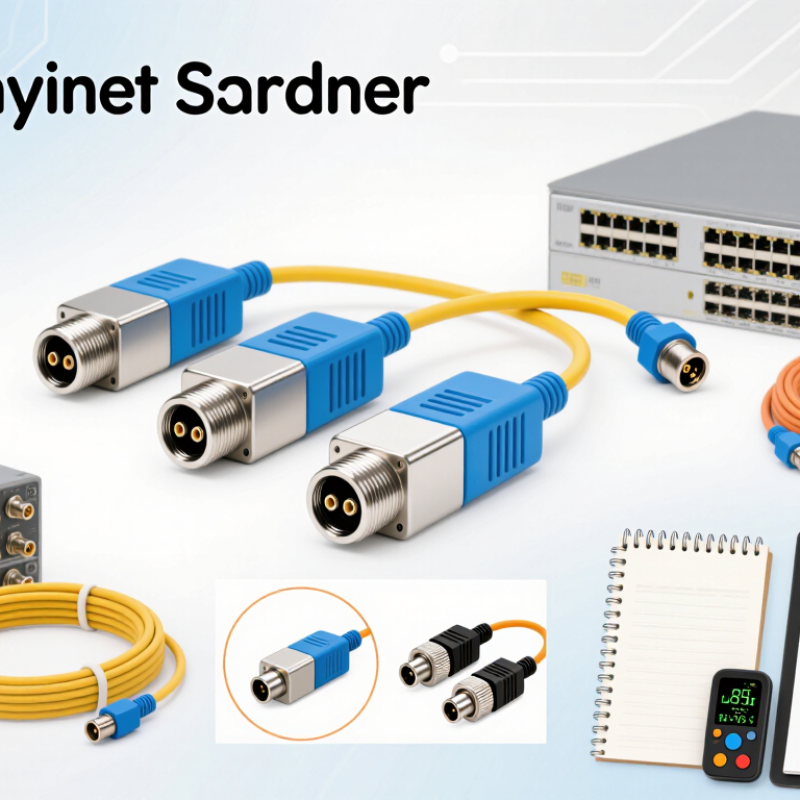
How to Choose an LC Connector Transceiver?

Understanding LC Connector Transceiver Types and Applications

How to Choose an LC Connector Transceiver?

Understanding LC Connector Transceiver Types and Applications

An LC connector transceiver combines a compact optical interface with an electronic data module. Its small latch suits dense network panels and switch ports. Before choosing one, identify the fiber type, transmission speed, wavelength, and required distance. Single-mode transceivers support longer links through narrow optical cores. Multimode types usually serve shorter connections inside buildings or data rooms. Measure twice.

Simplex LC models use one fiber for one-way transmission. Duplex LC models use two fibers for simultaneous sending and receiving. BiDi designs can send both directions through one fiber, but they require matched wavelength pairs. This detail is easy to overlook. A wrong pairing may leave the link dark, even when the connector fits.

Applications also shape the decision. Short multimode links can connect servers within the same rack or room. Single-mode options are more suitable for campus networks, telecom paths, and extended building connections. Check the transceiver’s reach rating against real cable length, patch panels, and splice losses. Speed labels alone do not prove compatibility. Confirm the port standard, optical budget, operating temperature, and digital monitoring support. In field work, I have seen installers trust a familiar LC shape too quickly. The housing matched, but the fiber mode and wavelength did not. That mistake costs time and can create confusing intermittent faults. A careful selection process should include equipment documentation, measured loss, and a final link test. Even then, specifications may not reflect aging cables or sharply bent patch cords. A little uncertainty remains.

Checking Fiber Compatibility, Transmission Speed, and Distance

Choosing an LC connector transceiver starts with the fiber, not the connector shape. LC only describes the interface. It does not guarantee optical compatibility. Check whether the link uses single-mode or multimode fiber. Single-mode fiber usually supports longer distances and narrow optical paths. Multimode fiber suits shorter links inside buildings. Confirm the transceiver’s wavelength matches the installed fiber and optical design. A mismatch can produce weak light, unstable links, or no link at all. Check duplex or simplex operation, too. Polarity matters. An LC plug may fit physically while the transmit and receive paths remain reversed. That small detail can stop a healthy transceiver from communicating.

Transmission speed must match both network equipment and fiber performance. A 1G, 10G, or higher-speed module may require a specific fiber category, wavelength, and distance rating. Never choose distance from the product label alone. Calculate the optical budget: transmitter power minus receiver sensitivity, then subtract fiber loss, connector loss, splice loss, and safety margin. Measure the actual route, including patch panels and vertical slack. Distance ratings are laboratory figures. Real buildings are less tidy. Dust, tight bends, aging connectors, and poor cleaning can reduce the margin. Inspect end faces and clean them correctly before testing. Use an optical power meter when the link is important. I would also verify the transceiver temperature range and coding requirements. This step is easy to overlook. A compatible optic can still fail when the host rejects its identification. Recheck the datasheet and installation records before ordering. In practice, assumptions often cost more than one careful measurement.

Comparing Single-Mode and Multimode LC Transceivers

How to Choose an LC Connector Transceiver?

An LC connector does not determine fiber type. The transceiver and installed cable must match. Single-mode LC transceivers usually work with 9/125 μm fiber. They support longer distances, often from several kilometers to many tens of kilometers. Their common wavelengths include 1310 nm and 1550 nm. Multimode LC transceivers typically use 50/125 μm or 62.5/125 μm fiber. They often operate near 850 nm and suit shorter links inside buildings or equipment rooms. The same LC shape can hide major optical differences.

Distance is only part of the decision. Check the data rate, wavelength, connector polarity, and optical power budget. A short link may still fail if the receiver overloads or the fiber type is wrong. Multimode options can reduce costs in compact data centers, while single-mode options provide more reach and upgrade flexibility. However, choosing single-mode for every link is not automatically better. The patch panels, test equipment, and installation practices must support it.

Tips: Read the transceiver datasheet before ordering. Confirm the fiber core size, maximum distance, and operating temperature. Clean both LC ends, then inspect them with suitable equipment. Dust causes unstable readings. A common mistake is trusting the label without checking the actual cable route. Measure the installed link, including patch cords and splice losses. If the result looks unusually perfect, test it again; field conditions are rarely that simple.

Evaluating Wavelength, Compatibility, and Network Standards

How to Choose an LC Connector Transceiver?

Wavelength is the first checkpoint. Short-reach multimode links commonly use 850 nm optics. Longer single-mode links often use 1310 nm or 1550 nm optics. The connector may look identical. The optical path may not be. ITU-T G.694.1 defines standardized wavelength grids for CWDM and DWDM systems. Therefore, confirm the channel plan before ordering an LC transceiver.

Compatibility requires more than matching LC ports. Check fiber type, transmission distance, data rate, duplex design, and optical power budget. IEEE 802.3 identifies different physical interfaces, including 10GBASE-SR at 850 nm and 10GBASE-LR at 1310 nm. Mixing these standards can leave a link dark. It can also create intermittent errors. A practical rack-side check includes reading the module label, measuring link loss, and verifying the switch interface standard. The label alone is not proof.

Network growth also matters. The Cisco Annual Internet Report forecast global IP traffic reaching 396 exabytes per month in 2022. That pressure encourages higher-speed upgrades, but a faster module is not automatically compatible. I would review connector polarity, insertion loss, receiver sensitivity, and coded-interface requirements before deployment. One overlooked detail is fiber cleanliness. A small dust particle on an LC endface can weaken the signal noticeably. Cleaning should be routine, not an emergency response. Compatibility tables help, but they can become outdated. Recheck the current standard and equipment documentation.

How to Choose an LC Connector Transceiver?

Evaluating wavelength, compatibility, and network standards

The LC connector only defines the physical fiber interface. A compatible transceiver must also match the network standard, transmission wavelength, fiber type, link distance, and port speed. The chart shows representative maximum link distances for common LC-based duplex optical standards. Multimode options generally use 850 nm, while long-reach single-mode options commonly use 1310 nm.

850 nm Usually paired with multimode fiber for short-distance links.
1310 nm Commonly paired with single-mode fiber for longer-distance links.
Fiber compatibility Verify OM multimode or OS single-mode classification before selection.
Network standard Confirm speed, duplex mode, optical budget, and equipment interoperability.

Selecting the Right LC Transceiver for Your Network Requirements

Choosing an LC transceiver starts with network requirements, not connector appearance. LC connectors are compact, but the transceiver must match fiber type, speed, distance, and wavelength. For example, multimode fiber suits short data-center links, while single-mode fiber supports longer campus or metropolitan connections. The ITU’s Facts and Figures 2024 reported 5.5 billion people online, representing 68% of the global population. That growth increases pressure on scalable, dependable links.

Check the link budget before purchasing. Include transmitter power, receiver sensitivity, connector loss, splice loss, and a reasonable aging margin. A 10Gbps module for 300 meters cannot replace a 10Gbps module designed for 10 kilometers. Duplex LC is common for two-way communication, while BiDi designs use different wavelengths over one fiber. Confirm switch compatibility, operating temperature, digital diagnostics, and power consumption. In practice, a lower-cost option can become expensive after unexplained packet errors. I have seen installation plans fail because distance was measured in a straight line, not through the actual cable route.

Tips: Build a small test link first. Verify optical levels, error counters, and temperature under real traffic. Keep spare modules from the same specification, not merely the same speed. Read the technical data sheet carefully. Standards help, but they do not guarantee perfect interoperability across every platform. A compatibility list may also be incomplete, so confirm firmware and coding requirements before deployment.

FAQS

Does an LC connector identify the fiber type?

No. The same compact LC shape can support very different optical systems. Check the transceiver and installed cable.

When should I choose a single-mode LC transceiver?

Choose it for longer links, often several kilometers or more. It commonly uses 9/125 μm fiber and 1310 nm or 1550 nm wavelengths.

When is a multimode LC transceiver suitable?

Multimode fits shorter links inside buildings or equipment rooms. It usually uses 50/125 μm or 62.5/125 μm fiber near 850 nm.

Is single-mode always the better choice?

Not always. It offers more reach and upgrade flexibility, but installation tools and patch panels must support it.

What should I check before buying an LC transceiver?

Check speed, fiber core size, distance, wavelength, polarity, temperature, and optical power budget. Read the technical datasheet carefully.

Why can a short optical link still fail?

Wrong fiber, excessive power, receiver overload, or dirty LC ends can cause errors. Dust can create unstable readings.

How should I measure the actual link distance?

Follow the installed cable route, not a straight line across the room. Include patch cords, connectors, and splice losses.

What should I test before deployment?

Build a small test link. Check optical levels, error counters, temperature, firmware, coding, and power use during real traffic.

Can modules with the same speed always work together?

No. Standards help, but they do not guarantee perfect interoperability. Confirm platform compatibility and coding requirements.

What does an unusually perfect test result mean?

It may be accurate, but I would test again. Field conditions are rarely that simple. A second check can reveal hidden loss.

Conclusion

Choosing the right LC connector transceiver requires a clear understanding of your network’s architecture, performance goals, and future expansion plans. Start by identifying the transceiver type and its intended application, then confirm that it matches your fiber infrastructure, transmission speed, and required communication distance. Single-mode LC transceivers are generally suited to longer-distance links, while multimode versions are often appropriate for shorter connections within buildings or data centers. This distinction helps ensure stable performance and avoids unnecessary equipment costs.

It is also important to evaluate operating wavelength, device compatibility, and support for relevant network standards. Check that the transceiver works with your switches, routers, optical cables, and other connected equipment. Consider factors such as bandwidth requirements, link length, environmental conditions, and potential future upgrades before making a final decision. By comparing these specifications carefully, you can select an LC connector transceiver that delivers reliable connectivity, efficient data transmission, and long-term value for your network.

Aria

Aria

Aria is a dedicated marketing professional with a deep passion for innovative strategies and a keen understanding of our company's product offerings. With a wealth of experience in the industry, Aria excels at crafting engaging content that highlights the unique features and benefits of our......